What does an “action” mean in an app?
Apps are filled with actions that appear over and over again: save, delete, share, edit, login. They are so familiar that they seem to require no explanation.
But these actions are not just buttons. They are closer to implicit promises between the user and the service.
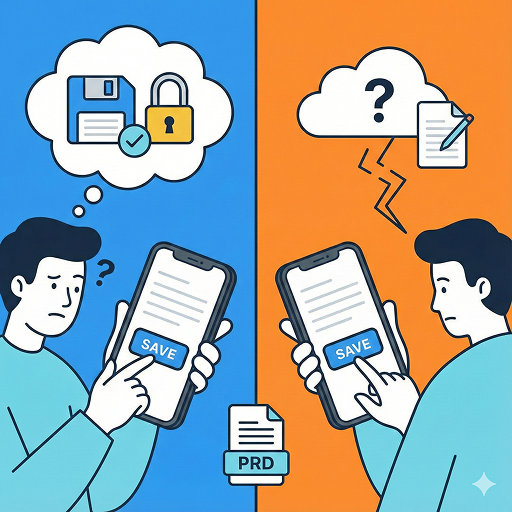
The problem is that these promises are rarely explained or clearly defined. Users interpret the meaning of each action based on their own past experiences—and those interpretations differ from person to person.
Decision Criteria: Does this action produce the result users expect?
The most important question when defining an action is: “What does the user expect to happen when they press this button?”
For example:
- Does “Save” mean temporarily stored, or permanently recorded?
- Does “Delete” remove something only from the screen, or completely from the server?
- Does “Share” mean sending a link, or granting access permissions?
In many apps, these meanings are left ambiguous. When expectations are unclear, users hesitate before acting.
Comparison: Actions that are never explained because they seem ‘obvious’
The most problematic cases are actions that are considered “too obvious to explain.”
Imagine building a blog app. Most people naturally assume that once they log in, they can write, edit, and delete posts. Because of this assumption, many apps never explicitly state these rules.
In reality, however:
- Some apps allow writing but restrict editing
- Some allow editing but limit deletion
- Some allow deletion only for admins
When these differences are not clearly explained, users feel that their expectations have been violated. The issue is not missing functionality—it’s the lack of explanation between expectation and actual behavior.
Result: A PRD defines the boundaries between actions and permissions
This is where the role of the PRD becomes clear.
A PRD is not a document that merely lists screens or buttons. It defines which actions are possible under which conditions, and what outcomes they produce.
By clearly documenting in the PRD:
- What users can do when logged in
- What is possible when logged out
- How create, edit, and delete actions differ by permission level
designers and developers can work from the same shared understanding. Without these definitions, the problem goes beyond minor UX issues—it leads to a loss of trust in the service itself.
Summary
Actions like save, delete, share, and login are so familiar that they are often left undefined. But when “assumed behaviors” are not clearly explained, users quickly become confused.
A PRD is not just a feature list—it is a document that fixes the meaning of actions and permissions. The clearer these definitions are, the more confidently users act, and the more trust the app naturally builds.